-
Shop
- Adidas
- Advanced Technologies
- AI Skills
- Armani Fashion
- Beauty
- Best Sellers
- Calvin Klein Fashion
- Car Accessories
- Car Buying & Ownership
- Car Electronics
- Confidence
- Dating & Social Skills
- Denim
- 7FOR
- AGOLDE
- Antony Morato
- Armani Exchange
- Boss
- Brunello Cucinelli
- Calvin Klein Jeans
- Costume National
- Desigual
- Diesel
- Dolce & Gabbana
- Dsquared²
- Ermanno Scervino
- Fendi
- Gianni Lupo
- Guess Jeans
- Ichi
- Just Cavalli
- Lee
- Levi's
- Liu Jo
- Morgan De Toi
- Mother Denim
- Only
- Pepe Jeans
- Pinko
- Replay
- Tommy Hilfiger Jeans
- Valentino
- Vero Moda
- Education & Learning
- Family & Parenting
- Fashion
- Alexander McQueen
- Bags
- Bags & Wallets
- Balenciaga
- Belts
- Blazers
- Blouses & Shirts
- Bottega Veneta
- Brunello Cucinelli
- Burberry
- Chanel
- Chloé
- Dior
- Dolce & Gabbana
- Dresses
- Etro
- Gucci
- Hats & Hair Accessories
- Hoodies & Sweatshirts
- Jewelry
- Jil Sander
- Jimmy Choo
- Keychains
- Kiton
- Luggage
- Luggage Bags
- Miu Miu
- Off-White
- Outerwear
- Prada
- Rick Owens
- Saint Laurent
- Shoe Accessories
- Socks & Tights
- Sunglasses
- Sweaters & Cardigans
- The Row
- Tom Ford
- Valentino Garavani
- Versace
- Vivienne Westwood
- Watches
- Fashion Accessories
- Financial Education
- Furniture
- Furniture & Decor
- Gadgets
- Gadgets & Electronics
- Guess Fashion
- Health & Beauty
- Health & Wellness
- Home & Garden
- Home Styling & Organization
- Home Supplies
- Interior Accessories
- Kids & Babies
- Kitchen & Dining
- Lighting
- Mindset
- Nike
- Outdoors
- Parenting & Child Development
- Patio, Lawn & Garden
- Personal Growth
- Personal Style & Fashion
- Pet Care
- Pet Lifestyle & Wellness
- Pet Supplies
- Pets
- Road Trip Accessories
- Shoes
- Special Deals
- Sport & Outdoors
- Storage & Organization
- Summer 2025 Fashion Collection
- Super Deals
- Tommy Hilfiger Fashion
- Travel
- Travel & Adventure
- Wealth
- Wealth Building
- Budgeting & Saving
- Cryptocurrency Investing
- Debt Management
- Entrepreneurship & Business Growth
- Family Finance & Budgeting
- Financial Independence
- Financial Mindset & Psychology
- Financial Planning
- Frugal Living & Expense Hacks
- Goal Setting
- High-Income Skills
- Investing Basics
- Leadership
- Networking & Mentorship
- Passive Income Strategies
- Real Estate Investing
- Side Hustles
- Stock Market Investing
- Wellness
- Winter Fashion
- YouTube Shorts Best-Sellers
- Popular
- Best deals
Magnetic Car Phone Holder: Secure Mounting & Setup Tips
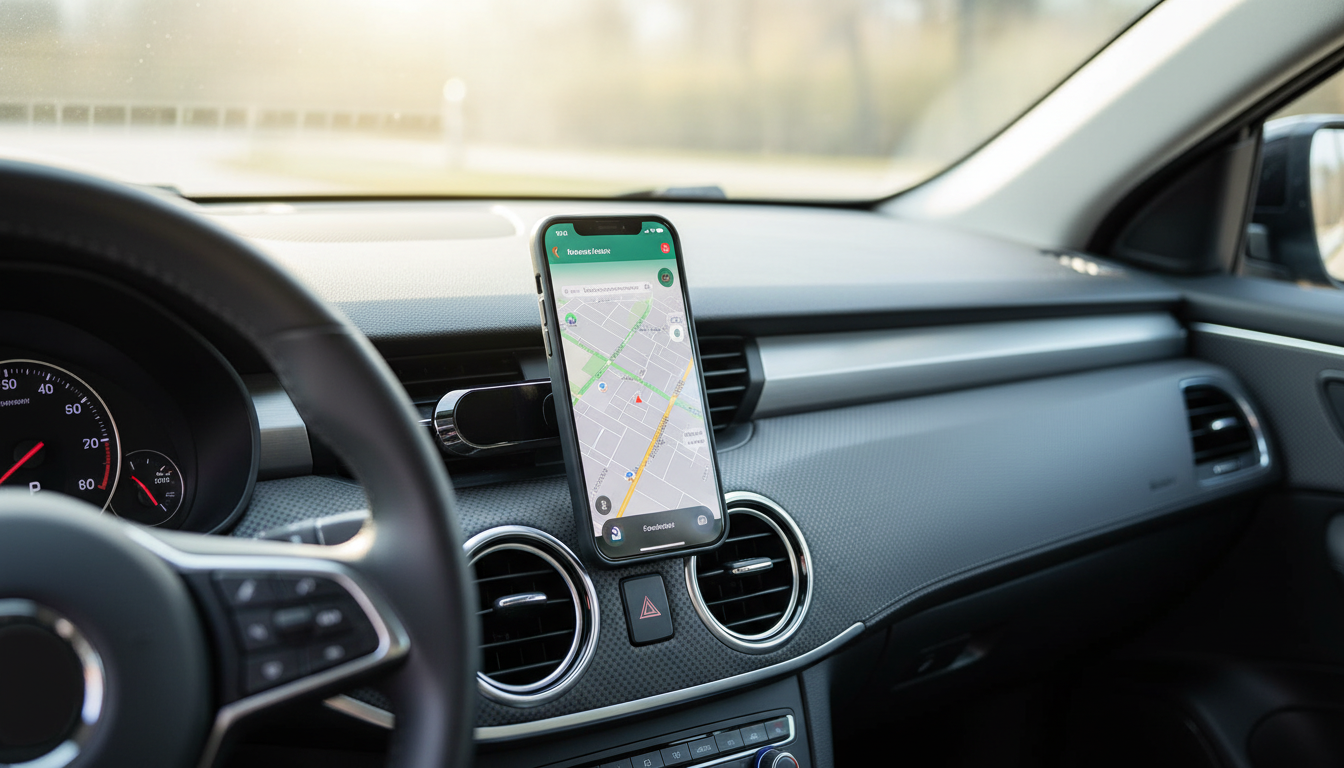
Magnetic Car Phone Holder for Safer, Cleaner Dash Setup
A magnetic car phone holder keeps your screen visible for navigation and hands-free calling without adding a bulky clamp to your dashboard. It’s a simple upgrade that can reduce fumbling, cut down on cable clutter, and make the whole cockpit feel more organized. The difference between a mount that “mostly works” and one that stays solid on bumpy roads often comes down to placement, surface prep, and heat resistance just as much as magnet strength.
For safety guidance around phone use while driving, review the National Highway Traffic Safety Administration’s information on distracted driving. If you use MagSafe accessories, Apple’s overview of MagSafe can help you understand how magnetic alignment works.
Why a Magnetic Mount Works Well in the Car
- Quick one-handed attach and remove: ideal for short errands, delivery driving, or anyone hopping in and out of the car frequently.
- Cleaner look with fewer moving parts: no spring jaws to loosen, squeak, or rattle over time.
- Flexible viewing angles: a good magnetic head makes it easy to adjust for navigation, music control, and call screens.
- Less fumbling when paired with hands-free: using voice assistants and hands-free calling reduces repeated button presses and screen taps.
What to Look For Before Buying
- Magnet strength and surface area: larger contact patches often hold more securely over rough pavement, especially with heavier phones.
- Mount base style: dashboard pad, vent clip, suction base, or adhesive plate—choose based on interior materials and your local climate.
- Rotation and tilt range: a smooth ball joint helps you fine-tune glare and reach without the phone drifting out of position.
- Phone compatibility: confirm the included metal plate works with your case, your wireless charging habits, and your camera bump clearance.
- Heat resistance: adhesives and plastics should tolerate direct sun on the dash without softening or warping.
Mount Types Compared
Different interiors and driving conditions favor different mounting styles. Use the chart below to narrow down what fits your vehicle and routine.
| Mount type | Best for | Watch out for |
|---|---|---|
| Magnetic (dash/vent) | Fast grab-and-go, minimalist setup | Needs proper plate placement; adhesives can soften in heat |
| Clamp/grip | Very rough roads and heavy phones | Bulky; mechanical parts can wear or rattle |
| Suction cup | Windshield/flat dash placement with frequent repositioning | Can detach in extreme heat/cold; needs clean surface |
| CD-slot | Stable center placement on many cars | Blocks the slot; may not fit all dashboards |
- Vent mounts: easy to install and reposition; they can block airflow or loosen on thin/round vent designs.
- Dashboard/console adhesive mounts: stable and low vibration; placement must avoid airbags and heavily textured surfaces.
- Suction mounts: adjustable and removable; they work best on smooth surfaces and can be sensitive to big temperature swings.
- CD-slot mounts (if applicable): stable in many vehicles; not ideal if the slot is used or hard to reach.
Best Placement for Visibility and Safety
- Stay in a natural glance range: the goal is a quick check of navigation without blocking your road view.
- Avoid airbag zones: keep mounts away from passenger-side dash areas and A-pillar regions where airbags can deploy.
- Minimize reach: place the phone where you can tap the screen (if needed) without leaning forward.
- Manage glare: a slight downward tilt reduces reflections and can make directions easier to read.
- Plan cable routing: run charging cables so they don’t interfere with steering, shifter movement, or pedals, and so they don’t snag when you exit.
Setup Steps for a Secure Hold
- Clean first: wipe the mounting surface with isopropyl alcohol and let it fully dry before applying any adhesive base.
- Apply steady pressure: warm adhesive to room temperature, press firmly for 30–60 seconds, and follow any recommended curing time.
- Place the metal plate thoughtfully: position it so it won’t interfere with the camera module and sits on a flat portion of the phone or inside the case.
- Test wireless charging if you use it: after placing the plate, confirm charging still works; adjust the plate lower or switch to a thinner plate if needed.
- Do a quick road test: drive one rough block and brake/turn normally—your phone shouldn’t rotate, slide, or detach.
Everyday Use Tips and Maintenance
Product Spotlight: Magnetic Car Phone Holder
If you want a tidy setup without bulky clamps, the Magnetic Car Phone Holder is a straightforward option for everyday driving. It’s designed for quick attachment and easy viewing for navigation, calls, and music control when used with hands-free features.
For riders who need secure phone access off the road, consider the Shock-Resistant Bike Phone Holder as a more rugged alternative built for vibration and impact.
FAQ
Can a magnetic phone holder affect the phone or its GPS signal?
Modern smartphones are generally built to handle normal magnetic exposure from everyday accessories, and GPS reception typically isn’t affected because it relies on radio signals rather than magnetic sensing. When issues do pop up, they’re more often related to wireless charging alignment or occasional compass calibration, which can vary by phone and plate placement.
Will the metal plate interfere with wireless charging?
Yes, it can reduce or prevent wireless charging depending on the plate’s size and where it sits relative to the phone’s charging coil. If you rely on wireless charging, place the plate lower on the phone, use a thinner plate, or adjust the case/plate setup to keep the coil area clearer.
Where should a phone mount not be placed in a car?
Avoid airbag deployment zones, mounting positions that block your view of the road, and areas that interfere with quick access to essential controls. Check your vehicle manual for airbag locations and follow local regulations on windshield or dashboard obstructions.


